
Mattermost vs Zulip vs Microsoft Teams: Which Is Better for Business Communication?
Published 08.09.2026
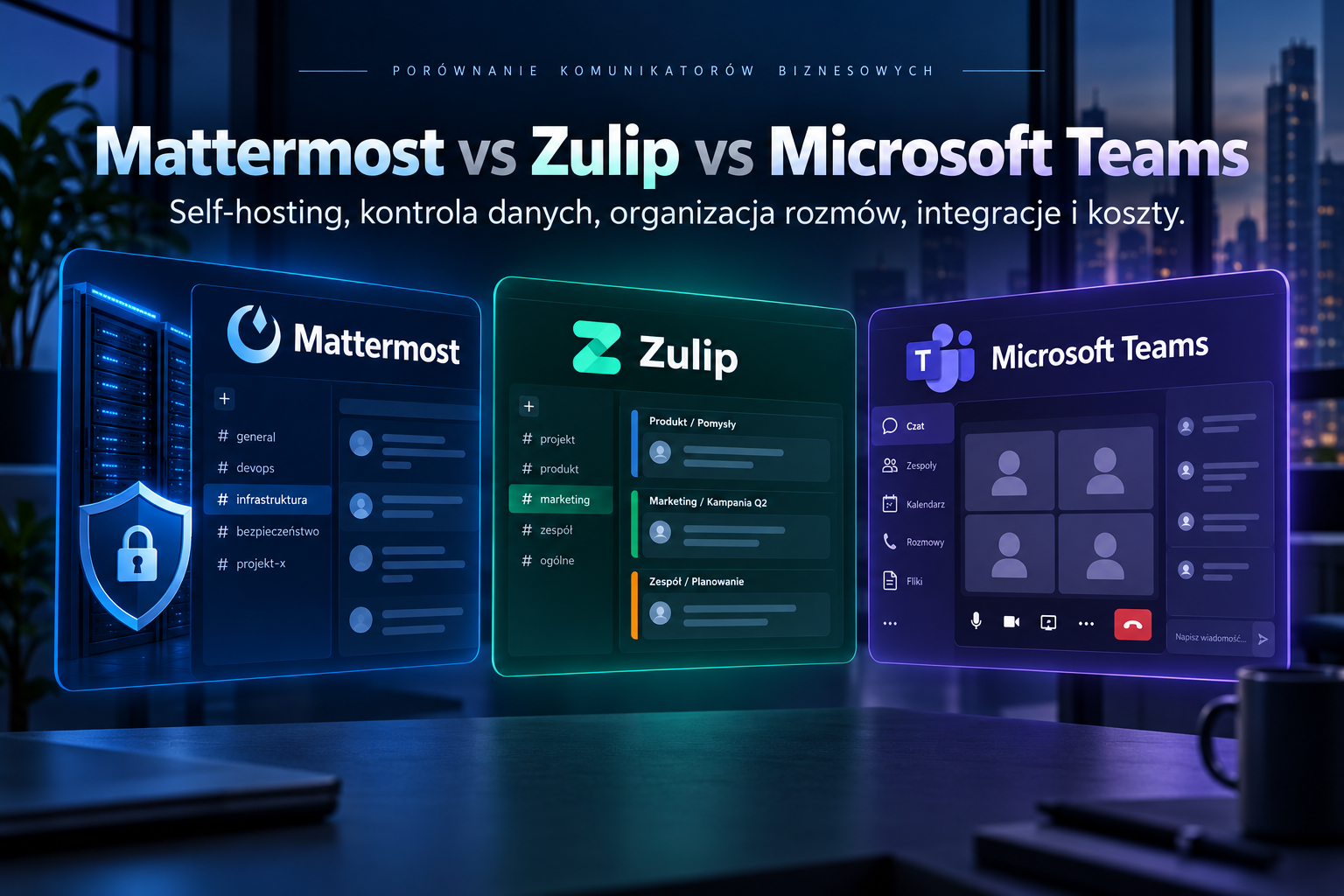
Open Source • Collaboration • Self-hosted
Business communication platforms are no longer used only for sending short messages. For many organisations they have become a central place for daily collaboration, file sharing, project coordination, incident response and operational decision-making.
Microsoft Teams, Mattermost and Zulip address a similar problem, but they do so in very different ways. Teams is deeply integrated with the Microsoft 365 ecosystem, Mattermost focuses strongly on secure collaboration and self-hosted deployment, while Zulip stands out because of its topic-based conversation model.
Choosing a business communication platform is not only about choosing a chat interface. It is also a decision about where data is stored, who controls the platform, how conversations are organised and which technology ecosystem the organisation will depend on.
Mattermost, Zulip and Teams — three different approaches
Mattermost
Particularly interesting for organisations that want to retain control over infrastructure and data while running their communication platform in a self-hosted or private-cloud environment.
Zulip
An Open Source communication platform built around channels and topics. It works especially well where many discussions happen in parallel and maintaining context is important.
Microsoft Teams
A communication and collaboration platform closely connected to Microsoft 365, including meetings, documents, SharePoint, OneDrive and other Microsoft services.
The biggest difference: self-hosted or cloud service?
One of the most important differences between these platforms is the deployment model.
Microsoft Teams is primarily delivered as a cloud service within the Microsoft 365 ecosystem. The organisation does not operate the application servers that provide the Teams service itself.
Mattermost can be deployed on infrastructure controlled by the organisation, including Linux servers, private-cloud environments and Kubernetes-based architectures. Mattermost's current documentation explicitly supports self-hosted deployments and provides production deployment models including Kubernetes and Linux.
Zulip can also be self-hosted. Zulip states that its self-hosted version uses the same 100% Open Source software as its cloud service, with installation options including Linux and container-based environments.
Self-hosted
Greater control over data location, infrastructure architecture, backup, administrative access and integration with internal systems.
SaaS
Less infrastructure to maintain internally. A large part of platform operations, scaling and service maintenance remains with the provider.
Control brings responsibility
Self-hosting gives the organisation more control, but also makes it responsible for updates, monitoring, backup, security, performance and availability.
Self-hosted does not automatically mean “more secure”. It means that more of the control — and more of the operational responsibility — moves to the organisation.
Where is the data stored?
For some organisations, data location and administrative control are among the most important selection criteria. A communication platform may contain much more than casual conversations: technical information, customer details, incident discussions, configuration fragments, documents and business decisions can all appear there.
With a self-hosted Mattermost or Zulip deployment, the organisation can decide where the application, database and file storage are hosted and who has administrative access to them. The platform can run in an internal data centre, a selected hosting facility or a Private Cloud.
Teams follows the Microsoft 365 service architecture. Files uploaded to Teams channels are stored in the associated SharePoint location, while files shared in chats are stored in OneDrive for Business.
Neither approach is universally better. The right model depends on regulatory requirements, security architecture, operational capabilities and how much direct infrastructure control the organisation actually needs.
Conversation structure — this is where Zulip is genuinely different
Most team communication tools are primarily organised around channels. A team, project or department gets its own channel, and messages gradually form a continuous stream of conversation.
Mattermost follows this familiar model and complements channels with threaded discussions. This makes it relatively easy to understand for users who have previously worked with platforms such as Teams or Slack.
Zulip takes a different approach. Conversations inside a channel are organised into topics. Topic-based threading is one of the core features available across Zulip's plans.
For example, a channel called Infrastructure could contain separate discussions such as:
- VMware migration,
- new Proxmox cluster,
- backup issue,
- firewall replacement,
- Zabbix monitoring.
Users can follow the discussion that matters to them without having to reconstruct its context from an entire channel full of unrelated messages.
Zulip sits somewhere between traditional team chat, email-style subject organisation and a discussion forum — messages remain fast, but the context is easier to preserve.
Which platform is better for asynchronous work?
In distributed teams, different time zones or environments where many projects run in parallel, communication should not require everyone to watch the chat continuously.
Zulip's topic model is particularly useful in this type of environment. A user returning after several hours can identify which discussions appeared and focus only on the relevant topics.
Mattermost also supports asynchronous collaboration through channels, threads, search and persistent message history, but its interaction model remains closer to conventional team chat.
Teams can work particularly well in organisations where conversations regularly turn into meetings, Office documents or other Microsoft 365 workflows.
Meetings, voice and video
This is one of the areas where the products differ most clearly.
Microsoft Teams combines chat with a mature meeting and conferencing environment. For organisations that rely heavily on internal calls, customer meetings, webinars and calendar-driven collaboration, this can be a major advantage.
Mattermost provides Mattermost Calls. In self-hosted environments, Calls can provide audio communication and screen sharing while keeping call media and metadata within infrastructure controlled by the organisation.
Zulip takes a different approach. Instead of providing its own full conferencing stack, it can integrate with configured call providers such as Jitsi, Zoom, BigBlueButton, Nextcloud Talk or Webex. A self-hosted Jitsi instance can also be used.
Mattermost
Messaging remains at the centre of the platform, with integrated calling capabilities that can also operate in a self-hosted architecture.
Zulip
Focuses primarily on structured text communication while allowing the organisation to select an external or self-hosted voice and video platform.
Teams
Strong integration between messaging, calendars, meetings, conferencing and the wider Microsoft 365 environment.
Files and document collaboration
If employees work heavily with Word, Excel, PowerPoint, SharePoint and OneDrive, Teams has a natural advantage because these services belong to the same ecosystem.
Files shared in Teams channels are stored in SharePoint, while chat files use OneDrive for Business. This creates a close relationship between messaging and document collaboration.
Mattermost and Zulip also support file sharing, but they are not replacements for an entire office productivity suite. In a self-hosted architecture they may instead be combined with separate document-management or collaboration systems.
For organisations already using platforms such as Nextcloud or another internal document-management system, the lack of deep Microsoft 365 integration may be significantly less important.
Integrations and automation
All three platforms can connect to external applications, but their ecosystems reflect different priorities.
Teams is naturally positioned inside the broader Microsoft ecosystem and can work closely with Microsoft 365, Azure and business automation services.
Mattermost is particularly interesting in technical and operational workflows where chat is connected to infrastructure, DevOps, monitoring, incident response or security processes.
Zulip also provides a broad integration ecosystem. Zulip currently describes more than one hundred native integrations, with additional integrations available through third-party extensions.
Its topic-based structure can be especially useful when automated systems generate large numbers of notifications, because different alerts and workflows can remain separated by topic rather than becoming one continuous stream.
Identity, SSO and the enterprise environment
In a larger organisation, a communication platform should not become another isolated system with a separate collection of manually managed user accounts.
Before selecting a platform, it is worth analysing integration with areas such as:
- Microsoft Entra ID,
- Active Directory / LDAP,
- OpenID Connect,
- SAML,
- MFA,
- user provisioning and deprovisioning.
The exact authentication and identity-management capabilities available can depend on the product and subscription level, so this should be verified before deployment — particularly when the communication platform needs to integrate with an existing IAM architecture.
Open Source — Mattermost and Zulip are not identical
Both products have strong connections to the Open Source ecosystem, but their product and commercial models are different.
Zulip describes all of its plans as using the same 100% Open Source software, including self-hosted deployments.
Mattermost offers self-hosted deployments as well as commercial Professional and Enterprise subscription models. Its current commercial self-hosted licensing is based on purchased user seats, with the subscribed plan determining access to particular commercial capabilities.
For this reason, the analysis should not stop at the question “Is it Open Source?”. A more useful question is which capabilities the organisation actually needs and under which technical and commercial model they are available.
What about cost?
Comparing only the licence price can produce misleading conclusions.
In the case of Teams, cost is often part of a wider decision about Microsoft 365. If an organisation already relies on Exchange Online, Office applications, SharePoint and OneDrive, Teams may fit naturally into the existing environment.
A self-hosted Mattermost or Zulip deployment, on the other hand, requires infrastructure and operations. Total cost should therefore include areas such as:
- servers or Private Cloud resources,
- database and storage,
- backup,
- monitoring,
- updates and lifecycle management,
- system administration,
- Disaster Recovery,
- commercial subscriptions or vendor support where required.
Open Source does not mean zero cost. Self-hosting replaces part of the external service cost with infrastructure, skills and operational responsibility.
When should you choose Mattermost?
Mattermost is particularly worth considering when the organisation:
- wants to run business communication on infrastructure it controls,
- requires greater control over data and deployment architecture,
- operates in an environment with elevated security or sovereignty requirements,
- has technical, DevOps, SOC or incident-response teams,
- prefers a familiar channel-and-thread communication model,
- wants to integrate communication with internal technical workflows.
When should you choose Zulip?
Zulip is particularly interesting when:
- many discussions take place in parallel within the same team,
- asynchronous communication is important,
- employees frequently need to return to earlier technical or project discussions,
- the organisation values a fully Open Source platform,
- self-hosting is preferred,
- structured text communication matters more than an integrated conferencing suite.
When is Microsoft Teams the better choice?
Microsoft Teams remains a logical choice when the organisation:
- already uses Microsoft 365 as its primary workplace platform,
- works extensively with SharePoint and OneDrive,
- requires mature meeting and video-conferencing capabilities,
- wants to minimise the number of platforms it operates itself,
- uses Microsoft Entra ID as its primary identity platform,
- does not require the communication platform itself to be self-hosted.
Mattermost vs Zulip vs Teams — quick comparison
Mattermost
Strong choice where self-hosting, data control, familiar team messaging and integration with technical or operational workflows are important.
Zulip
Particularly well suited to teams managing many parallel, long-running discussions and organisations that value asynchronous communication and a fully Open Source platform.
Microsoft Teams
A natural fit for organisations already deeply invested in Microsoft 365 and looking for one ecosystem for messaging, meetings and document collaboration.
Does migrating away from Microsoft Teams make sense?
The ability to self-host a communication platform is not, by itself, a sufficient reason to migrate.
The first step is to determine which parts of Teams the organisation actually uses. If employees mainly rely on channels and direct messages, replacing the communication layer with Mattermost or Zulip may be relatively straightforward.
If Teams is deeply connected to meetings, calendars, SharePoint, OneDrive, Office documents, automation and other Microsoft 365 services, the migration becomes an architecture project rather than simply a replacement of one chat application.
The organisation then needs to determine:
- what will replace meetings and video conferencing,
- where documents will be stored,
- how SSO and user lifecycle management will work,
- which integrations must be recreated,
- whether historical communication needs to be migrated,
- how the new platform will be secured,
- how backup and Disaster Recovery will work.
Migrating from Teams to a self-hosted platform makes sense when the organisation genuinely needs greater control and is prepared to consciously take responsibility for operating that platform.
Do not choose a communication platform only by its feature list
All three platforms can support everyday team communication. The important differences become clearer only when the organisation's wider infrastructure and working model are considered.
Before selecting a platform, ask:
- Does the communication platform need to run on infrastructure we control?
- Where may messages and attachments be stored?
- Is text communication or online conferencing more important?
- How deeply is the organisation already invested in Microsoft 365?
- How important is asynchronous communication?
- How should the platform integrate with IAM, monitoring and other internal systems?
- Who will be responsible for updates, backup and security?
- What happens if the communication platform becomes unavailable?
The best communication platform is not the one with the longest feature list. It is the one that fits the organisation's way of working, infrastructure and requirements for control over its data.
How can we help?
sLogic Group helps organisations evaluate and implement communication platforms and Open Source technologies in a model that fits their existing infrastructure.
We can analyse current communication workflows, security requirements, identity architecture, integrations and dependencies, then design a target Mattermost or Zulip environment including infrastructure, backup, monitoring and migration planning.
If the decision requires a broader review of the current environment, we can start with an IT Audit and Architecture.
Mattermost, Zulip or Microsoft Teams?
We can analyse your requirements, current environment and dependencies, then help select and design a communication platform that fits your organisation.